Screenshots show the built-in sample plan — your numbers will look different, but the layout is the same.
Compare Scenarios
Side-by-side comparison of all your saved what-if scenarios — table, detail cards, and expandable household panels.
Header card
A counter pill shows how many of the 10 snapshot slots are used. The header summarizes the current plan with a Save Snapshot button beside it.
Current plan summary box: Large legacy figure with years, strategy, bracket target, and lifetime tax.
Save Snapshot button: Auto-includes strategy + bracket target + time. At 10/10, oldest is replaced.
Clear all button: Two-click confirm. Plan itself is never touched.
Comparison table
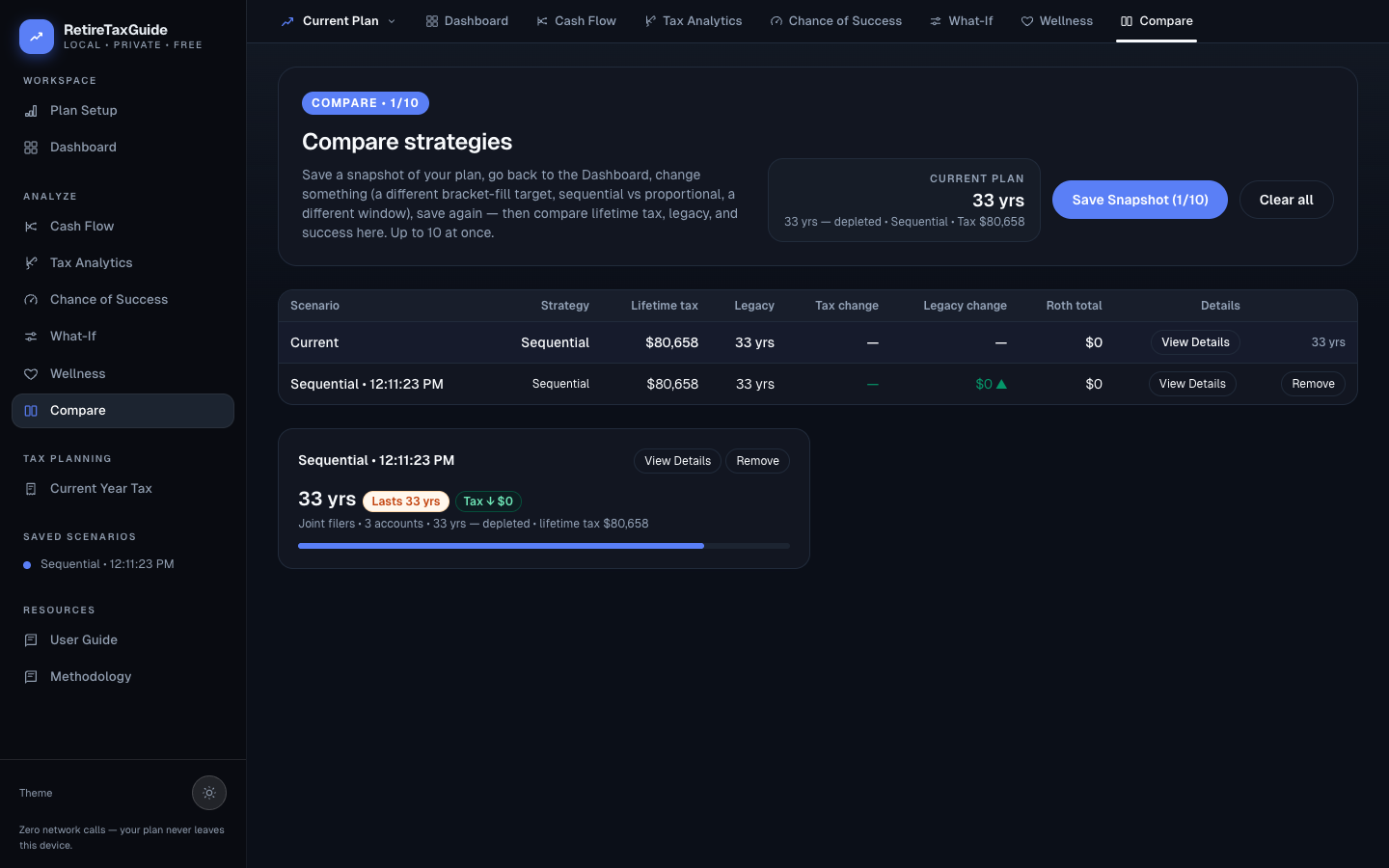
Columns: Scenario, Strategy, Lifetime tax, Legacy, Tax change, Legacy change, Roth total, Details, Remove.
Loading a scenario
Click any saved scenario in the sidebar (or the plan-selector dropdown) to load it as the active plan on every page — the loaded row wears a "Viewing" pill. With no snapshots yet, an empty state points you back to What-If to save your first one.
Scenario detail cards
2-column grid below the table. One bordered card per snapshot with label, legacy figure + delta pill, sub-line (filing status, accounts, years, tax), and a progress bar showing plan length.
Household details expandable panel
Four blocks when expanded:
- Household card: Filing status, strategy, persons
- Assumptions card: Returns, inflation, volatility, correlation
- Accounts list: Name, kind, tax type, owner, balance, holdings
- Incomes + Expenses: Name, type, start age, amount, COLA, taxable %